
Quick answer: The right Apollo alternative depends on what Apollo is not doing well for your team. Consider Lusha for contact lookups, ZoomInfo or Cognism for broader sales-intelligence needs, Clay for custom enrichment workflows, Instantly for email campaign operations, Snov.io for prospecting plus outreach, and Seamless.AI for contact discovery. These tools are not interchangeable. Test data quality and total workflow cost on a small sample before migrating.
Research snapshot: November 4, 2026. This guide is based on public product and pricing pages and selected third-party sources. We have not hands-on tested or benchmarked these platforms. Features and prices change; confirm current terms with each provider before purchasing.
Apollo combines prospect data and sales-engagement features in one product. That convenience is useful, but teams may find that a different tool better fits a specific region, data field, research process, or outreach channel. Before switching, identify the exact gap: replacing a contact database is a different project from replacing email sending or building a custom enrichment workflow.
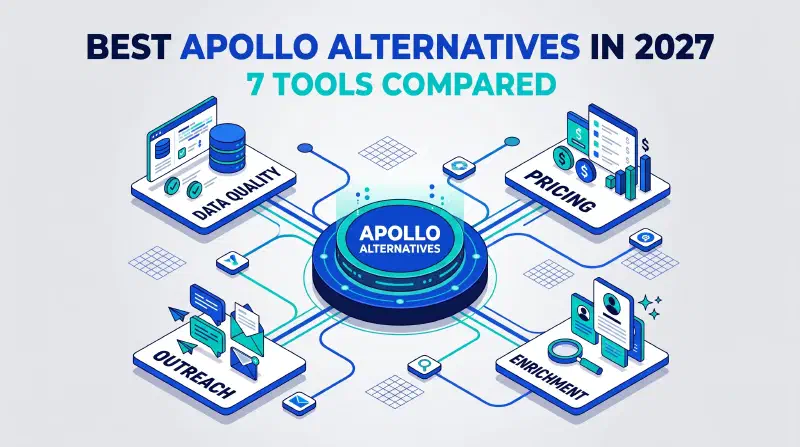
This guide compares seven Apollo alternatives by their publicly described role, likely evaluation fit, pricing transparency, and trade-offs. It does not declare a universal winner or treat vendor claims as independent proof of accuracy. For a broader comparison of tools across lead capture, contact discovery, enrichment, and follow-up, see our guide to lead generation tools for 2027.
Apollo alternatives at a glance#
| Tool | What to evaluate it for | Pricing signal on the research date | Check carefully |
|---|---|---|---|
| Lusha | Contact and company data, browser-based prospecting, and integrations | Public Free plan; paid options use credits, with larger-team options available | Credit consumption, regional coverage, and match quality for your roles |
| ZoomInfo | Sales intelligence, contact and company data, and related GTM applications | Request a quote; no universal public price shown on its pricing page | Contract scope, included data and features, minimum commitment, and actual fit |
| Cognism | B2B prospecting and contact data, including mobile-data workflows | Sales-led Standard and Pro plans | Coverage in your target countries, verification definitions, and plan details |
| Clay | Custom data enrichment, research, and configurable GTM workflows | 14-day trial advertised; usage and plan terms should be modeled | Credit/action consumption, setup effort, data sources, and the need for other tools |
| Instantly | Cold-email campaigns, mailboxes, and campaign operations | Separate products and bundles; the pricing page displayed a Growth plan at $47/month | Which product is included, sending limits, mailbox setup, and sender reputation |
| Snov.io | Prospect search, email finding and verification, and outreach campaigns | Annual billing displayed a Starter equivalent of $29.25/month when checked | Billing term, credit and recipient limits, and add-on costs |
| Seamless.AI | Contact discovery and sales prospecting | Free access or trial messaging; confirm current paid pricing with sales | Data fit by market, actual plan inclusions, and verification outcomes |
Pricing notes are snapshots, not quotes. For example, Snov.io displayed its Starter rate as a monthly equivalent with annual billing selected. Instantly lists distinct products and bundles, so a single starting price does not describe the cost of every workflow. Credit plans can also make two tools with similar seat prices cost very different amounts in use.
First, identify why you might switch#
Do not switch because a comparison page labels another product “better.” Write down what is failing in the current workflow and how you will measure an improvement.
Common reasons to evaluate an alternative include:
- A specific data gap: You need more verified mobile numbers, better coverage in a target country, or more complete company records.
- Unpredictable usage costs: Credits, exports, verification, or add-ons make your monthly spend hard to forecast.
- A workflow mismatch: You need deeper research, more flexible enrichment, or a sending tool designed for your campaign operations.
- Too many disconnected tools: Data, CRM records, verification, and outreach do not stay in sync.
- Data governance requirements: You need clearer information about sourcing, permitted use, retention, access, or deletion.
Some problems can be addressed without changing vendors. Verify addresses before campaigns, review credit usage, remove duplicate records, narrow your ideal customer profile (ICP), and check integrations. If these steps address the gap, migration may add cost and risk without enough benefit.
Seven Apollo alternatives, explained#
1. Lusha: contact lookup and sales intelligence#
Lusha presents its platform as B2B data and AI prospecting for go-to-market teams, with data access through its workspace and other supported integrations. Its pricing page describes a free plan with monthly credits and paid credit-based options; the number of credits required depends on the type of contact data revealed.
Evaluate Lusha if: your team mainly needs a straightforward way to find business contact details and use them in existing sales workflows.
Before choosing it: test contacts from your actual roles and countries. Check how emails and phone numbers consume credits, how unused credits work under the plan you are offered, and whether the extension or integrations fit your team’s process. A vendor’s coverage statement is not a guarantee that every record in your segment is current.
Sources: Lusha product overview and Lusha pricing.
2. ZoomInfo: sales intelligence for broader GTM needs#
ZoomInfo describes its Sales offering around B2B contact and company information, buyer-intent signals, and engagement applications. It offers multiple product packages and directs prospective customers to request pricing, so comparing it with a self-serve plan by monthly seat price alone is not meaningful.
Evaluate ZoomInfo if: you need a broader sales-intelligence package and can justify a sales-led evaluation against your team’s specific data and workflow requirements.
Before choosing it: request a written breakdown of the package, data access, integrations, seats, contract period, renewal terms, and any usage limits. Ask for a sample that matches your target market, then compare the usable records and total contract cost with your current stack.
Sources: ZoomInfo Sales and ZoomInfo pricing.
3. Cognism: prospecting and contact-data workflows#
Cognism’s current pricing page describes Standard and Pro plans for prospecting workflows. It highlights contact and company data, filters, AI research, API and MCP access, and—on Pro—additional mobile-data and verification capabilities. Availability and plan details should be confirmed directly.
Evaluate Cognism if: its data, verification options, and sales workflow appear relevant to the specific countries and contact types you target.
Before choosing it: ask what “verified” means for the fields you care about, how verification is performed and refreshed, what is included in each plan, and how the product handles your target countries. Compare a sample against independently verified records; do not treat a vendor’s connect-rate claim as a guaranteed outcome.
Sources: Cognism pricing and plan overview and Cognism.
4. Clay: flexible enrichment and research workflows#
Clay positions itself as a platform for building go-to-market workflows, including sourcing and enriching data. It can suit teams that want to combine providers and custom research steps, but that flexibility usually requires someone to design and maintain the process. It is not necessarily a drop-in replacement for every part of Apollo.
Evaluate Clay if: your operations or sales team needs custom enrichment logic, multi-step research, or more control over how records are assembled.
Before choosing it: map each workflow step to its source, cost, and output. Model both data credits and actions where applicable, test fallbacks when a provider has no result, and include the cost of the separate CRM or outreach product you may still need.
Sources: Clay platform and Clay pricing.
5. Instantly: email outreach and campaign operations#
Instantly’s current offering spans email outreach, lead data, CRM, and related products. Its pricing page lists separate plans and bundles; the displayed price depends on which product you are evaluating. As a result, Instantly may be an alternative for campaign operations without replacing your contact-data source.
Evaluate Instantly if: your main gap is running and managing email campaigns rather than finding every contact field in one database.
Before choosing it: compare the exact plan and product combination, mailbox and sending limits, data features, deliverability controls, integrations, and how the tool handles unsubscribes and suppression lists. A high sending allowance is not a recommendation to send at that volume.
Sources: Instantly product overview and Instantly pricing.
6. Snov.io: prospecting, verification, and outreach in one workflow#
Snov.io describes a combined workflow for finding prospects, enriching contact details, verifying email, and running outreach campaigns. Its pricing page explains that credits, recipients, enrichment tokens, mailbox warm-ups, and other allowances are separate parts of a plan. The advertised monthly equivalent can depend on the billing term selected.
Evaluate Snov.io if: you want to test prospect discovery and lighter outreach in one workspace rather than assemble every step separately.
Before choosing it: estimate your real use of each allowance, not just prospect-search credits. Confirm the price for monthly versus annual billing, what LinkedIn-related features cost separately, and whether the sequence, verification, and CRM features meet your needs.
Sources: Snov.io product overview and Snov.io pricing.
7. Seamless.AI: contact discovery#
Seamless.AI presents a sales prospecting platform focused on discovering contact data and supporting sales workflows. The pricing page encourages visitors to explore a free option or trial and confirm paid-plan details. Availability of a trial is not the same as a continuing free plan with a fixed set of features.
Evaluate Seamless.AI if: fast contact discovery is the main capability you want to compare with Apollo.
Before choosing it: ask for current plan terms and verify a representative sample against your own criteria. Check country and role coverage, how credits are charged, what happens when contact details are invalid, and which integrations or add-ons are included.
Sources: Seamless.AI product overview and Seamless.AI pricing.
How to compare data quality fairly#
Database size and a vendor’s claimed accuracy percentage do not tell you how many useful records it will return for your audience. Contact coverage varies by country, industry, company size, role, and how recently a record was checked.
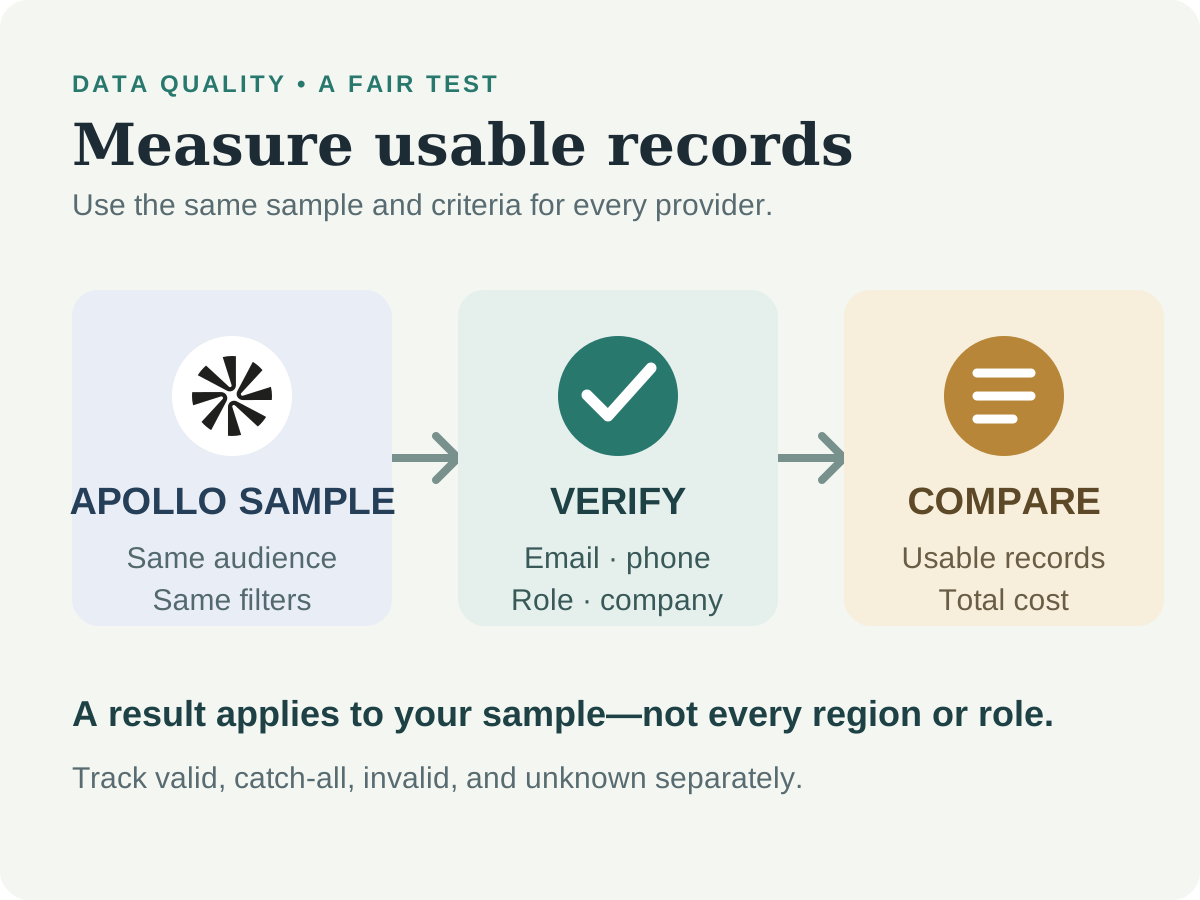
Use the same evaluation for Apollo and every alternative:
- Define a representative sample. Choose target accounts and roles that reflect the real campaign; exclude records already known to be invalid.
- Use the same search criteria. Keep geography, seniority, industry, and company-size filters as consistent as possible.
- Separate fields. Score work email, direct dial, mobile, job title, company, and source/recency separately. One valid field should not hide another that is wrong.
- Verify using a process independent of the vendor. For email, use a verifier and report valid, catch-all, invalid, and unknown separately. For phone data, use a documented manual or operational check on a small, appropriate sample.
- Track usable yield. Count records that meet your criteria and can be used lawfully—not just records returned by a search.
- Calculate total cost per usable contact. Include seats, credits, verification, enrichment actions, exports, required add-ons, and the human time spent cleaning.
- Record methodology and date. Results from one list, region, provider, or month do not establish universal accuracy.
Treat third-party tests as evidence to investigate, not as a substitute for your own evaluation. Some available comparisons are written by vendors that sell competing products or verification services. Check who ran the test, how the sample was selected, when it was performed, and whether the methodology is published.
Compare the whole cost—not just the starting price#
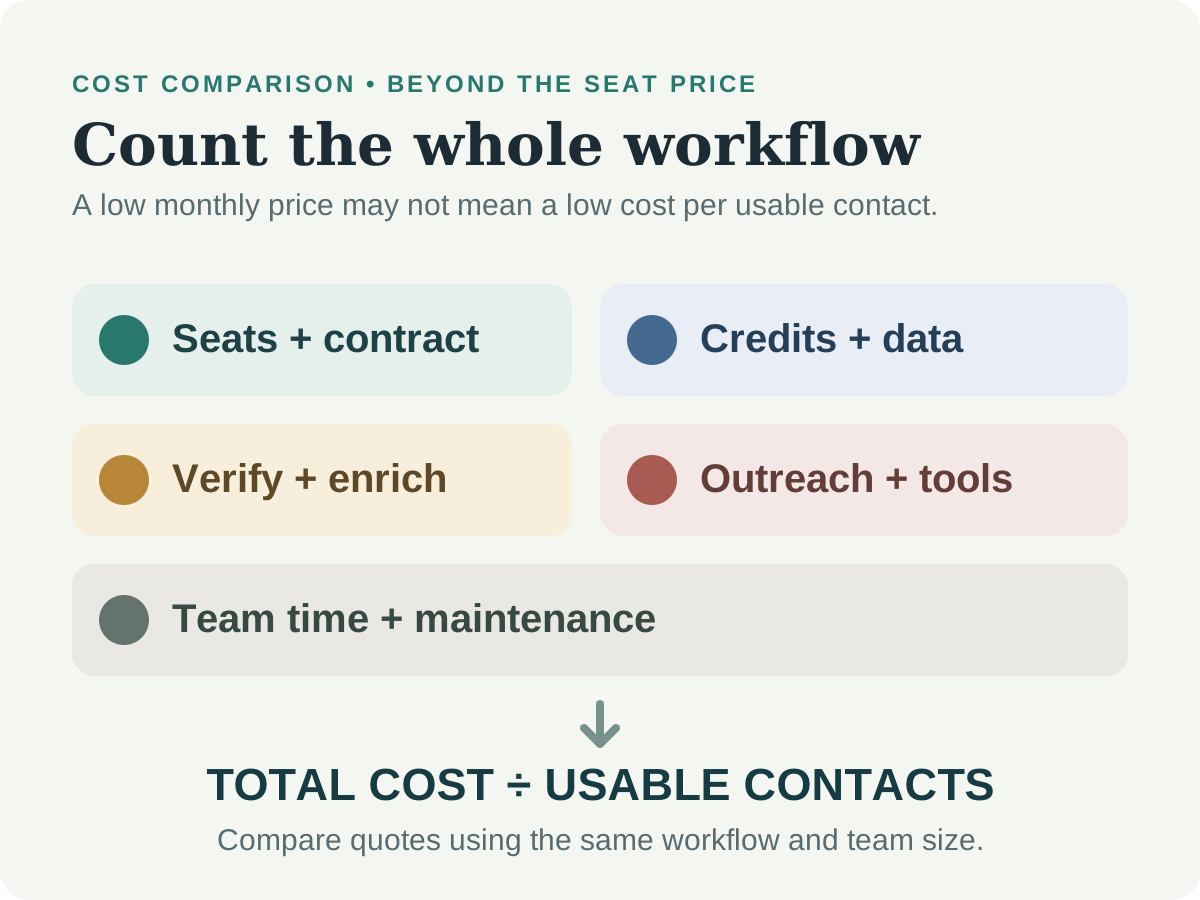
The tool with the cheapest listed seat may not be the cheapest workflow. Estimate a full month using your expected activity:
| Cost area | Questions to ask |
|---|---|
| Seats and contract | How many users are included? Is the rate monthly, annual-billed, or custom quoted? |
| Credits and usage | What consumes credits—searches, reveals, exports, verification, or actions? Do unused credits expire? |
| Data quality | Will you pay for a separate verification service or additional sources? |
| Outreach | Are mailboxes, campaign volume, warm-up, and reply management included or separate? |
| Integration | Is CRM sync included? Are API access, enrichment, or implementation extra? |
| Operations | How much time will the team spend configuring, cleaning, reviewing, and maintaining workflows? |
| Exit | Can you export contacts, activity, and suppression data in a usable format before renewal? |
Compare cost per usable, in-scope contact and cost per qualified outcome alongside the subscription price. Ask for a quote that matches the exact workflow and team size you will use.
Which Apollo alternative should you test first?#
- You mainly need contact reveals: Compare Lusha and Seamless.AI with a small, representative sample.
- You need an enterprise sales-intelligence package: Request a scoped quote and sample from ZoomInfo; compare the exact package with Cognism for your target countries and fields.
- You want to orchestrate custom enrichment: Test Clay with one workflow and account for the external data and outreach tools it may require.
- Email sending is the bottleneck: Compare Instantly’s relevant outreach plan with the campaign features you currently use. Keep the data source as a separate decision.
- You want prospecting and outreach together: Evaluate Snov.io’s search, verification, and campaign workflow, checking each allowance and billing term.
- You are unsure whether to switch: Keep Apollo for now, apply verification and data-cleaning steps, then test one alternative against the same sample.
For a related comparison of autonomous sales and SDR platforms, see AI SDR and sales agent tools for outbound prospecting.
A low-risk migration checklist#
Changing a sales-data platform can affect CRM records, active sequences, reporting, and opt-out handling. Do not cancel the old service until you have checked what data and workflow history you need to preserve.
- Inventory what you use. List contacts, companies, notes, saved searches, sequences, templates, tasks, and suppression records.
- Review export rights and limits. Confirm which fields and activity can be exported, in what format, and before what date.
- Back up and protect the export. Restrict access to the file, store it securely, and delete temporary copies when no longer needed.
- Deduplicate and normalize. Match records using stable identifiers where available; do not merge people solely because their names look similar.
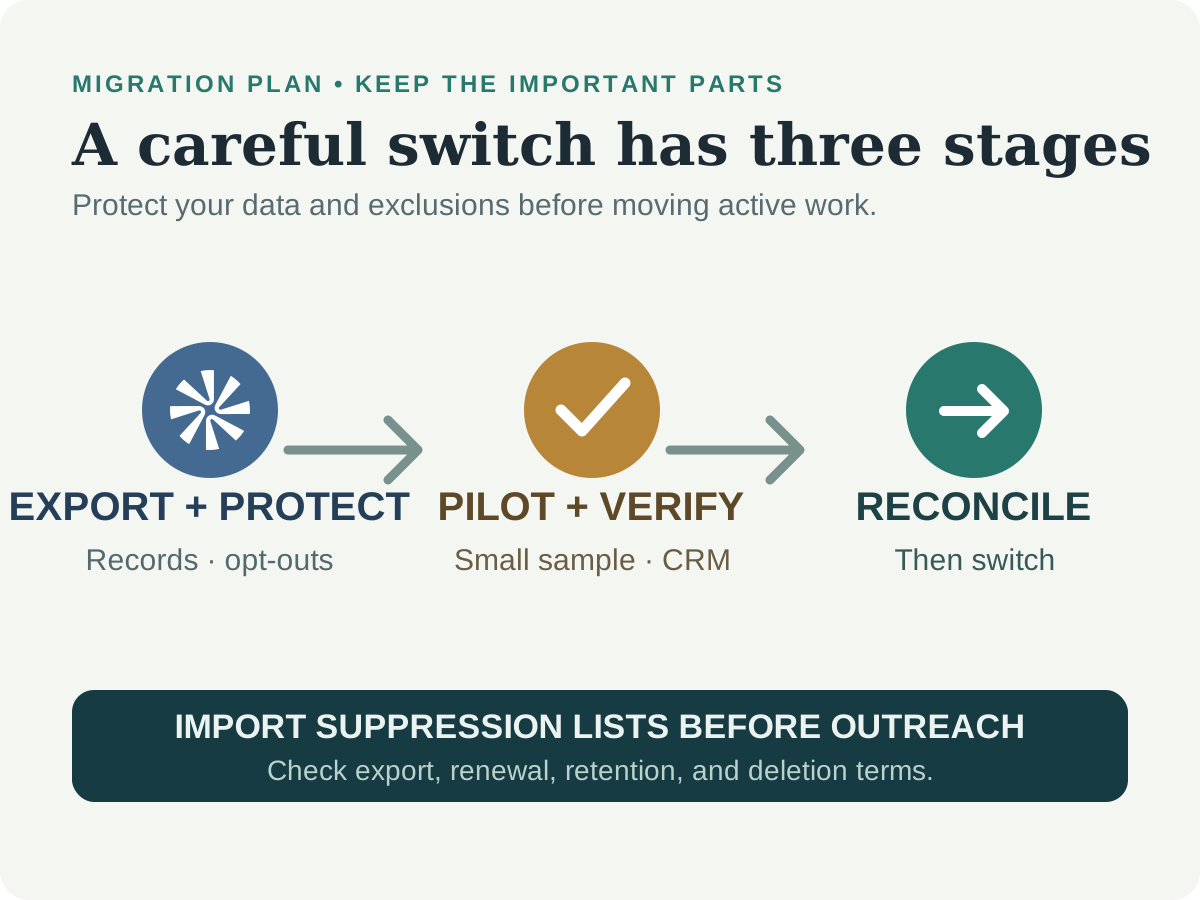
- Preserve opt-outs and suppression lists. Import exclusions before activating any new campaigns.
- Pilot the new provider. Test a small segment, verify the fields, and confirm CRM synchronization before moving active workflows.
- Reconcile and monitor. Check duplicates, field mappings, owner assignments, bounce and opt-out handling, and reporting after import.
- Close the old account deliberately. Confirm renewal dates, retention and deletion terms, and that your team can still access required records.
Compliance and privacy#
Contact information may be personal data, and rules depend on where your organization and recipients are, how the data was obtained, and which channel you use. A record appearing in a business database does not by itself establish permission for every outreach purpose. Review the provider’s data sourcing and permitted-use terms, honor opt-outs, maintain suppression lists, and get qualified legal advice for your use case.
For reference, the US CAN-SPAM Act sets requirements for commercial email, and the UK Information Commissioner’s Office provides direct marketing guidance. These links are examples, not a complete guide to laws in every country or legal advice.
Frequently asked questions#
What is the best Apollo alternative in 2027?#
There is no single best option. Lusha and Seamless.AI focus on contact discovery, ZoomInfo and Cognism offer broader sales-intelligence workflows, Clay supports custom enrichment, Instantly focuses on email operations, and Snov.io combines prospecting and outreach features. Choose based on your data sample, process, and total cost.
Which Apollo alternative has a free plan?#
Lusha’s pricing page lists a Free plan, and other providers may offer free access, trials, or limited accounts. These offers have different terms and can change. Check whether the option is an ongoing free plan or a time-limited trial, and test the actual data and features available.
Is ZoomInfo better than Apollo?#
It depends on your use case, data needs, contract, and budget. ZoomInfo’s pricing page uses a quote-led approach, while Apollo publishes plan information. Compare the package and a representative contact sample rather than assuming one provider is more accurate for every market.
Which Apollo alternative is best for phone data?#
Do not choose based only on a vendor’s “verified” label or a competitor’s comparison. Test a representative sample of phone records in your target countries, clarify the verification method, and compare usable contact rates and total cost.
Can I use Apollo with another data or outreach tool?#
Yes. A team may keep Apollo for one workflow and add another provider for a particular data gap, enrichment step, or campaign channel. Check for duplicate records, CRM field conflicts, opt-out synchronization, and overlapping subscription costs.
How do I move from Apollo to another platform?#
Review export rights and limits, back up the records and activity you need, clean and deduplicate data, and import suppression lists before launching campaigns. Pilot the new tool on a small segment, then reconcile CRM fields and workflows before fully switching.
How we researched this guide#
We reviewed vendor product and pricing pages on November 4, 2026, along with selected third-party comparisons. We did not perform a hands-on data-quality test, and we do not present vendor or competitor accuracy claims as independent benchmarks. Pricing terms noted here were visible on public pages at the time checked; products, plans, and access can change. Confirm the current offer and contract with each provider before buying.
Sources#
- Lusha: Product overview
- Lusha: Pricing
- ZoomInfo: Sales
- ZoomInfo: Pricing
- Cognism: Pricing and plan overview
- Clay: GTM platform
- Clay: Pricing
- Instantly: Product overview
- Instantly: Pricing
- Snov.io: Product overview
- Snov.io: Pricing
- Seamless.AI: Product overview
- Seamless.AI: Pricing
- Salesgear: Apollo alternatives comparison (competitor source; claims require independent verification)
- BounceZero: Apollo data review (verification vendor’s test; see its methodology and commercial interest)
- US Congress: CAN-SPAM Act of 2003 (GovInfo PDF)
- UK Information Commissioner’s Office: Direct marketing guidance