Quick answer: The best AI SDR tool depends on your sales stack and how much autonomy you want. Salesforce Agentforce and HubSpot’s Prospecting Agent are natural starting points for teams already using those CRMs. 11x and Artisan focus on more autonomous digital workers, while Clay is suited to custom research and enrichment workflows. Apollo combines prospect data and engagement, and Instantly focuses on cold-email workflows. Compare each tool with a small, human-reviewed pilot before allowing it to contact prospects at scale.
Research snapshot: November 4, 2026. This guide is for teams planning their 2027 sales stack. Product capabilities, names, access, and prices can change. We reviewed the linked public product information and selected independent sources; we have not hands-on tested or benchmarked every platform.
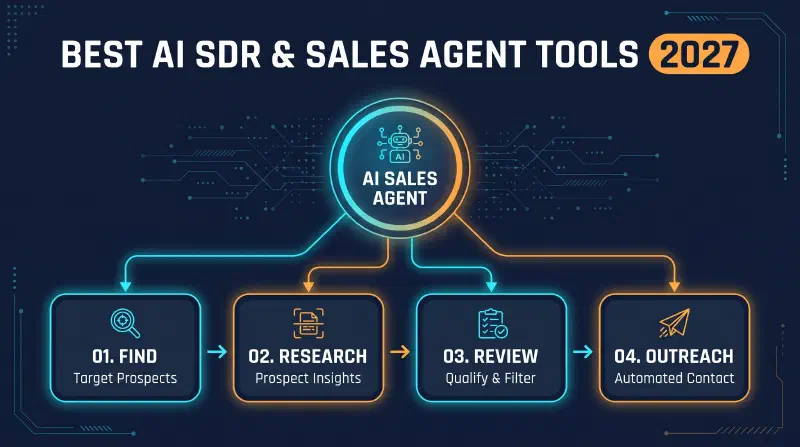
AI sales software is moving beyond writing a first email. Depending on the product, it can help identify accounts, research contacts, find buying signals, prepare outreach, manage replies, or coordinate a handoff to a sales representative. Vendors use labels such as AI SDR, AI BDR, AI sales agent, and digital worker differently, so compare the work a product actually performs rather than relying on its category name.
This guide compares seven options for outbound prospecting, explains where each fits, and gives you a practical way to evaluate quality, cost, data handling, and control before deployment. For a broader comparison across inbound capture, prospect data, enrichment, and outreach, see our guide to lead generation tools for 2027. For a broader look at assistants and workflow software, see our guide to AI productivity tools for 2027.
What is an AI SDR?#
An AI SDR is software that automates some sales-development tasks traditionally handled by a sales development representative (SDR). Depending on the product and configuration, those tasks may include:
- Building or enriching a list of target accounts and contacts.
- Researching company events, roles, and other prospect context.
- Drafting or personalizing outreach.
- Running approved follow-up sequences.
- Classifying replies and routing interested prospects.
- Scheduling a meeting or handing context to a human representative.
An AI BDR is often used as a near-synonym. An AI sales agent usually signals more autonomy, but there is no universal definition. Some products assist a rep with research and drafts; others are marketed as performing a larger workflow with fewer step-by-step instructions. In either case, permissions, review options, data sources, and the ability to stop or correct actions matter more than the label.
AI SDR tools compared at a glance#
| Tool | Product type | A sensible shortlist for | Main evaluation point |
|---|---|---|---|
| Salesforce Agentforce | CRM-native prospecting and sales agents | Teams already operating in Salesforce | Confirm which Agentforce capability and data sources are included in your plan |
| HubSpot Prospecting Agent | CRM-native prospect research and outreach support | Teams that manage sales activity in HubSpot | Check current availability, credit use, approval controls, and CRM fit |
| 11x (Alice and Julian) | Outbound and inbound digital workers | Teams exploring higher-autonomy sales workflows | Pilot message quality, oversight, handoffs, and total cost |
| Artisan (Ava) | AI BDR platform | Teams seeking an outbound workflow with configurable approvals | Verify current product scope, access, integrations, and commercial terms |
| Clay (including Claygent) | Research, enrichment, and workflow platform | Teams that want to build tailored prospecting processes | Model workflow complexity, data coverage, and usage-based costs |
| Apollo | B2B data and sales-engagement platform | Teams that want prospecting and engagement in one workspace | Test data accuracy for your target market and understand plan limits |
| Instantly | Cold-email and campaign platform | Teams whose main outbound channel is email | Assess deliverability practices, compliance controls, and sender reputation risk |
This is a use-case comparison, not a ranked performance test. Product pages describe vendor capabilities, not independent proof that a tool will improve your results. Test with your own target accounts and success criteria.
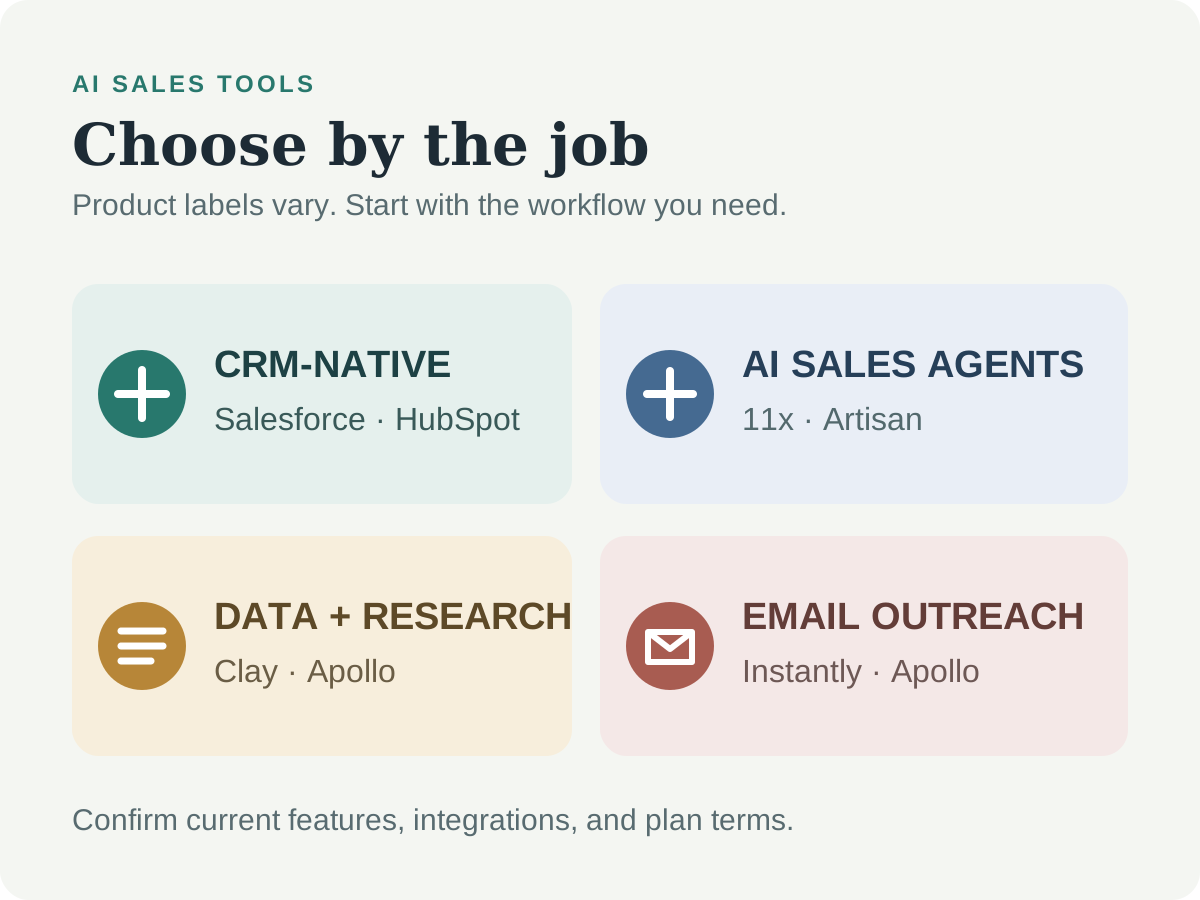
7 AI SDR and AI sales agent tools to consider#
1. Salesforce Agentforce#
Salesforce describes its Prospecting Agent as a way to research accounts and contacts, surface prospecting signals, and prepare prioritized recommendations for sellers. Salesforce also has separately named Agentforce sales experiences; do not assume that every feature, channel, or level of autonomy belongs to the same product or is included in every plan.
Consider it if: your team already maintains its accounts, contacts, and sales process in Salesforce and wants prospecting activity close to that system of record.
Validate before buying: which Agentforce product you are evaluating, the data sources it can use, the setup and permission requirements, included usage, and how its actions appear in CRM history. Ask to see the approval and handoff flow using a realistic account.
Read Salesforce’s Prospecting Agent overview.
2. HubSpot Prospecting Agent#
HubSpot presents its Prospecting Agent as a tool that uses CRM and company context to research accounts, identify contacts, and prepare personalized outreach. The current product page also makes performance claims; treat those as vendor-reported results, not a guarantee or independent benchmark.
Consider it if: HubSpot is already where your team manages contact history and sales activity, and you want to test research and drafting without building a separate workflow.
Validate before buying: current access and product status, any credit or usage model, supported data providers, review-before-send settings, and whether the agent’s recommended actions are visible and auditable in your CRM.
See HubSpot’s Prospecting Agent page.
3. 11x: Alice and Julian#
11x describes Alice as its outbound digital worker and Julian as its inbound sales agent. Its documentation presents these as distinct roles, so teams comparing outbound prospecting should assess Alice rather than treating every 11x capability as an outbound feature.
Consider it if: you have a well-defined ideal customer profile (ICP), reliable CRM data, and a sales process that can be clearly expressed as rules, handoffs, and approved messaging.
Validate before buying: the boundaries of autonomous actions, when a person is notified, how replies and exceptions are handled, CRM synchronization, data retention, and the full cost at your expected volume. Start with a limited segment and inspect actual conversations, not just booked-meeting counts.
Read 11x’s product documentation. For a view beyond vendor material, review the independent 11x test report, remembering that a single review is not a representative benchmark.
4. Artisan (Ava)#
Artisan describes Ava as an AI BDR for outbound work. Its Ava 2.0 announcement describes a workflow that covers prospect research, outreach, and meeting booking, with approval gates available. These are vendor descriptions; confirm what is currently offered and included in a live product walkthrough.
Consider it if: you want to explore an outbound-focused platform and need configurable points where a human can review or approve activity.
Validate before buying: what runs automatically, which actions require approval, whether email or other channels are supported for your use case, integrations, onboarding, pricing, and how easily your team can pause campaigns or correct errors.
See Artisan’s Ava 2.0 announcement.
5. Clay and Claygent#
Clay is better understood as a go-to-market data and workflow platform than as a turnkey AI SDR. Teams can combine data enrichment and research steps to create prospecting workflows; Claygent is its AI research agent for tasks involving web-based information. This flexibility can support more relevant outreach, but it also means the team must design, test, and maintain the workflow.
Consider it if: you need custom research logic, multiple data sources, or enrichment steps that do not fit neatly into one fixed sales sequence.
Validate before buying: data provenance and permitted use, source coverage for your markets, how often information is refreshed, workflow maintenance effort, credit consumption, and whether the results can be checked before being added to outreach.
Start with Clay’s GTM platform overview and its Claygent guide. Confirm current capabilities in Clay’s own product documentation.
6. Apollo#
Apollo combines B2B prospect data with sales-engagement capabilities. Its current product positioning also describes AI-assisted prospecting and outreach workflows. That combination may reduce the number of tools a team needs, but database size alone does not establish that a specific contact record is accurate or appropriate for your campaign.
Consider it if: you want to evaluate contact discovery, enrichment, and sales engagement in one workspace, particularly before assembling a more customized stack.
Validate before buying: sample records for your target roles and regions, email and phone accuracy, data sourcing and compliance information, export and integration limits, and which AI features are included in your plan.
See Apollo’s platform overview and its explanation of how AI is changing the SDR role.
7. Instantly#
Teams evaluating cold-email campaigns and related sending workflows often consider Instantly. It may be part of an outbound stack, but an email platform is not automatically an autonomous AI SDR: compare its prospect research, reply handling, and sales handoff features with the rest of your requirements.
Consider it if: email is your primary outbound channel and your team wants to manage campaign operations in a dedicated platform.
Validate before buying: current plan boundaries, sending practices, authentication support, suppression and unsubscribe handling, integrations, and what happens to sender reputation if a campaign underperforms. A large sending limit is not a safe target for volume.
Review Instantly’s official website and check its current product and plan documentation.
How to choose an AI SDR tool#
Start with the bottleneck in your sales process. If the main issue is incomplete account data, an enrichment workflow may help more than an autonomous email agent. If the issue is repetitive research inside an existing CRM, a CRM-native agent may be easier to evaluate. If a team cannot consistently review or respond to outreach, adding more automation may make the problem worse.
Use this checklist to compare vendors:
- Define the ICP and exclusions. Specify the industries, roles, company traits, regions, and accounts the system should not contact.
- Choose the level of autonomy. Decide whether the tool may research, draft, queue, send, follow up, or handle replies—and where approval is mandatory.
- Check the source of truth. Determine whether the CRM remains authoritative and how changes, duplicates, opt-outs, and ownership are synchronized.
- Sample data quality. Manually verify a representative sample of accounts and contacts before trusting enrichment or targeting.
- Inspect the evidence behind personalization. Require the system to show where a claimed hiring signal, product event, or business fact came from.
- Model total cost. Include seats, credits, data, onboarding, integrations, deliverability, and human review—not only the advertised starting price.
- Review privacy and security. Ask about subprocessors, retention, access controls, deletion, data residency where relevant, and whether your customer or prospect data is used to train models.
- Plan for exit and failure. Confirm export options, audit logs, pause controls, rate limits, and what happens when an integration or agent step fails.
Keep a human review loop#
Automation can increase the speed and reach of a mistake. Begin with recommendations or draft mode, then grant narrowly scoped permissions only after the system has demonstrated consistent quality on your own data.
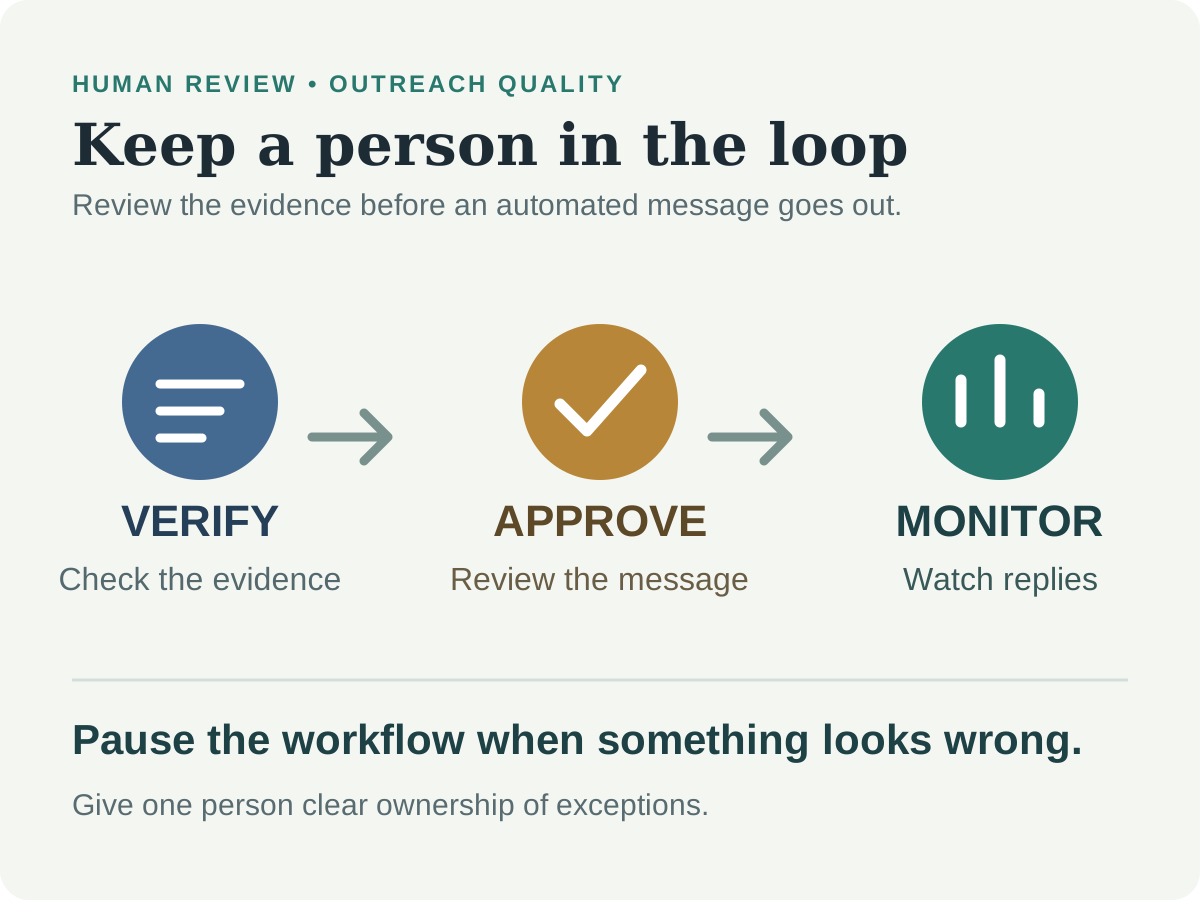
Before any message is sent, review whether:
- The recipient is a valid, in-scope business contact.
- The personalization is current, relevant, and supported by a trustworthy source.
- The message makes no unsupported claims about the recipient or your product.
- The correct sender, account owner, and approved content are being used.
- Suppression lists, opt-outs, and channel-specific requirements are applied.
Keep a clear escalation path for replies the tool cannot confidently classify. Assign an owner to review a sample of messages and outcomes regularly, and make it easy to pause a campaign immediately.
Compliance, privacy, and deliverability#
Outbound requirements vary by country, recipient type, and channel. A contact being publicly visible does not automatically mean you can collect, retain, or use their information for every purpose. Review applicable privacy and marketing rules with qualified counsel, document your lawful basis where required, and honor opt-outs promptly.
For example, the US CAN-SPAM Act sets requirements for commercial email. The UK Information Commissioner’s Office provides guidance on direct marketing and electronic communications. These are examples, not a complete guide to international rules or legal advice.
Good operational safeguards include:
- Use verified, relevant contacts and maintain a suppression list.
- Keep sending volume conservative and ramp up only when your process and provider terms allow it.
- Configure and monitor sender authentication, including SPF, DKIM, and DMARC.
- Make sender identity and unsubscribe handling clear and functional.
- Track bounce, complaint, reply, and opt-out rates; pause and investigate unexpected changes.
- Store only the information you need, restrict access, and define a retention period.
No AI SDR platform can guarantee inbox placement, legal compliance, or sales results. Your organization remains responsible for its data, messages, and campaign decisions.
A practical 30-day AI SDR pilot#
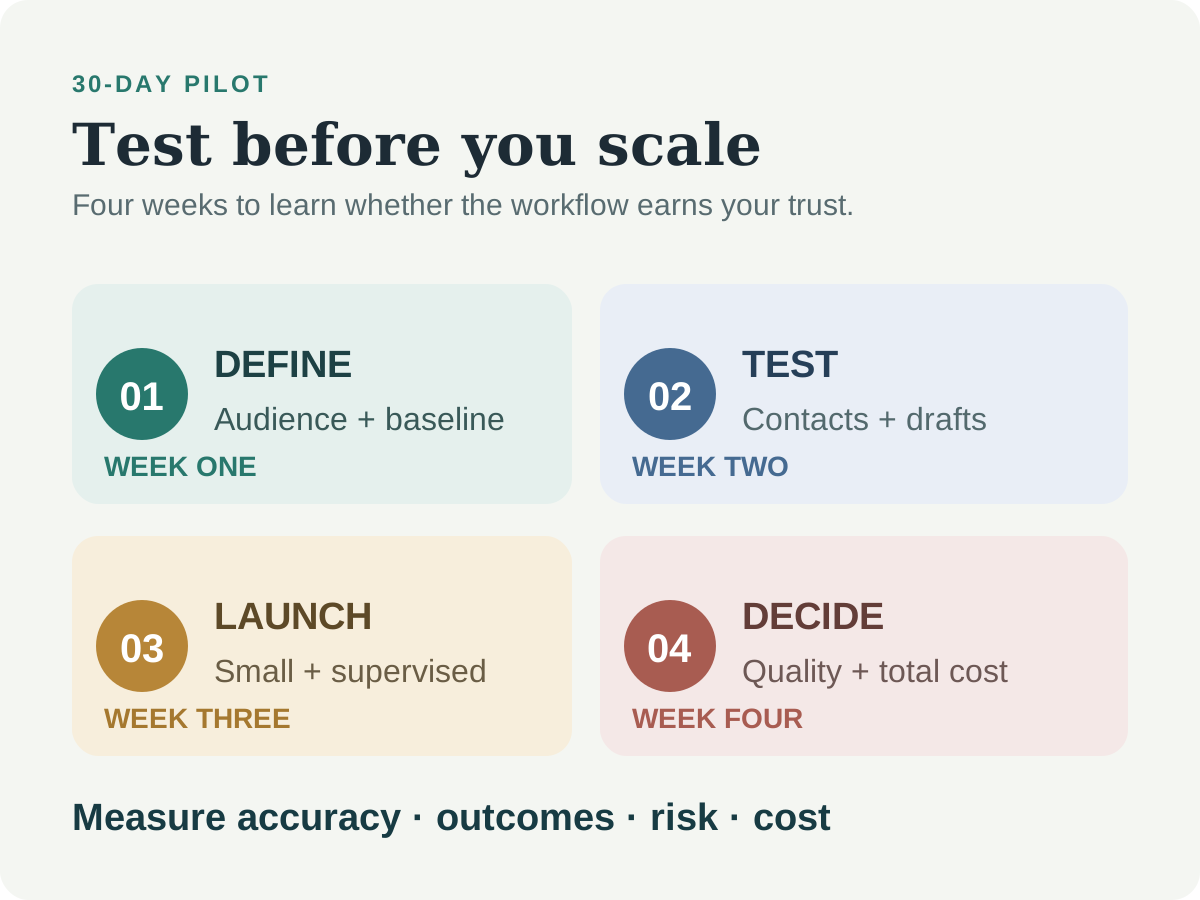
Week 1: Set the baseline and boundaries#
Choose one narrow audience and one sales motion. Record the current baseline for research time, valid-contact rate, positive replies, qualified meetings, and unsubscribes or complaints. Define exclusions, allowed claims, approval requirements, and a clear stop condition.
Week 2: Test data and drafts#
Use a small sample. Verify contact details and research claims manually. Compare AI drafts with your current process for accuracy, relevance, tone, and editing time. Do not optimize for the number of messages generated.
Week 3: Run a controlled launch#
If the earlier checks pass, launch to a limited, approved segment with conservative sending volume. Keep review in place, monitor replies, and make sure opt-outs and exceptions reach a person.
Week 4: Compare outcomes and decide#
Compare results with your baseline, including tool and staff costs. Decide whether to stop, revise the workflow, run another controlled test, or expand gradually. Document what the system is allowed to do next.
Metrics worth tracking#
| Metric | What it helps you understand |
|---|---|
| Verified contact rate | Whether the data and targeting are usable |
| Research accuracy | Whether personalization is based on correct evidence |
| Positive reply rate | Whether relevant prospects respond constructively |
| Qualified meeting rate | Whether meetings fit your agreed criteria |
| Bounce, complaint, and opt-out rate | Whether targeting or sending practices need attention |
| Human correction rate | How often reps must fix or reject the agent’s work |
| Cost per qualified outcome | Whether the workflow is economically useful |
Interpret results in context. A high reply or meeting count is not a success if the contacts are wrong, the outcomes are unqualified, or the campaign creates compliance and reputation risk.
Frequently asked questions#
What are the best AI SDR tools for 2027?#
There is no universal winner. Salesforce and HubSpot are sensible first evaluations for teams already using those CRMs; 11x and Artisan target more autonomous workflows; Clay supports custom research and enrichment; Apollo combines prospect data and engagement; and Instantly focuses on email campaigns. Confirm each product’s current capabilities and run a controlled pilot.
What is the difference between an AI SDR and an AI sales agent?#
The terms overlap. AI SDR usually refers to automating sales-development tasks such as prospect research and outreach. AI sales agent often suggests broader or more autonomous actions, but product definitions vary. Compare permissions, supported tasks, approvals, and handoffs rather than the label.
Can an AI SDR replace a human sales development representative?#
Some repetitive work can be automated, but teams still need people to set targeting rules, review claims, handle nuanced conversations, oversee compliance, and take responsibility for customer interactions. Assess automation as a change to the workflow, not an assumption that human judgment is unnecessary.
Are AI sales agents suitable for small teams?#
They can be, if the team has a clear audience, reasonably clean data, and time to supervise the workflow. A low-cost option or one included with your CRM may be a better first test than a high-autonomy platform with complex setup or usage costs.
Is AI-powered outbound email legal?#
It depends on the applicable law, location, recipient, data source, and communication channel. Follow relevant privacy and marketing rules, honor opt-outs, and get qualified legal guidance before launching campaigns.
How should a team evaluate an AI SDR before buying?#
Use a small representative sample, compare its research and drafts with a human-reviewed baseline, verify the product’s data and security terms, and measure quality and total cost. Keep approval gates enabled until the tool consistently meets your standards.
How we researched this guide#
We reviewed public vendor product pages and documentation, plus selected independent material, on November 4, 2026. Vendor descriptions and claims are identified as such; they are not treated as independently verified performance results. We did not conduct a hands-on test of every product. Features, availability, integrations, and pricing can change, so confirm current details with each provider before making a decision.
Sources#
- Salesforce: Prospecting Agent
- HubSpot: Prospecting Agent
- 11x documentation: What is 11x?
- B2B Sales Guru: Independent 11x review
- Artisan: Ava 2.0 announcement
- Clay: GTM platform
- Findymail: Clay data enrichment overview
- Apollo: Official platform overview
- Apollo: How the SDR role is evolving with AI
- Instantly: Official website
- US Congress: CAN-SPAM Act of 2003 (GovInfo PDF)
- UK Information Commissioner’s Office: Direct marketing guidance